

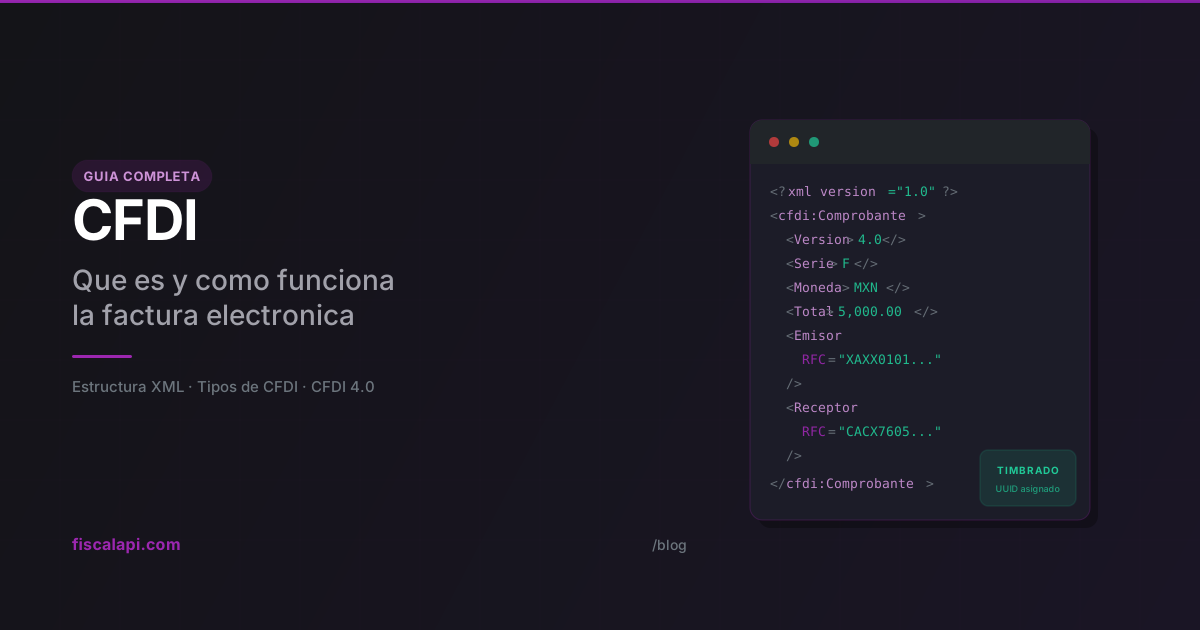
What is CFDI? Meaning and how it works in Mexico
April 2, 2026
Every commercial transaction in Mexico that needs to be tax-deductible requires a CFDI (Mexico's electronic invoice). If you're building software that handles payments, e-invoicing, payroll, or logistics in Mexico, this isn't optional. The CFDI is the backbone of the country's entire tax compliance system, and understanding how it works will save you from a lot of rejected CFDIs and confused customers.
What is a CFDI
CFDI stands for Comprobante Fiscal Digital por Internet, which translates to Digital Tax Receipt via Internet. It's an XML document that records a taxable transaction, digitally signed by the issuer and certified by a PAC (Proveedor Autorizado de Certificación, a SAT-authorized provider that stamps CFDIs).
Here's what trips up most people outside Mexico: CFDI means more than "invoice." An invoice is one type of CFDI. But payroll receipts, credit notes (Egreso CFDIs, type E), payment confirmations, and goods transfer documents are all CFDIs too. The term covers every standardized fiscal document that the SAT (Mexico's tax authority, Servicio de Administración Tributaria) uses to track economic activity.
The current version is CFDI 4.0, mandatory since April 1, 2023. No PAC will accept a CFDI in an older format.
How CFDI works
The issuance flow involves three parties: the issuer (you), the PAC, and the SAT.
The critical step is stamping (the certification by a SAT-authorized provider that makes a CFDI valid). When the PAC validates your XML and everything checks out, it assigns a UUID (folio fiscal, the unique ID the PAC assigns when it stamps a CFDI) and attaches the digital tax stamp (Timbre Fiscal Digital, the SAT seal the PAC adds to a CFDI). That UUID becomes the permanent identifier for the document. Cancellations, status queries, verification, everything references that UUID.
The PAC does more than stamp. It validates that the issuer's RFC (Mexico's taxpayer ID, Registro Federal de Contribuyentes) is active and that the tax regime (régimen fiscal, the SAT category a taxpayer is registered under, such as 601 or 626) is a valid key for the type of taxpayer: an individual (persona física) or a legal entity (persona moral). It also checks that the CFDI use (how the recipient will use the CFDI for tax purposes) and form of payment (how the customer paid: cash, bank transfer, card; the FormaPago key) codes exist in the current catalog. One wrong code and the whole thing gets rejected.
Nobody builds the XML by hand in production. You either use invoicing software or an API like Fiscalapi that handles XML construction, PAC communication, and returns the stamped CFDI ready to deliver.
Types of CFDI
The typeCode field sets the CFDI type (the TipoDeComprobante key: I income, the regular sales invoice; E credit note; T transfer, moves goods without a sale; N payroll; P payment). Each type serves a different purpose.
The standard sales invoice. You issue this when you charge for a product or service. If a customer buys a software license for $5,000 MXN, you generate an income CFDI (type I) with the amount, the applicable taxes, and the recipient's tax details. The taxes are IVA (Mexico's value-added tax, VAT) and, if relevant, ISR (Mexico's income tax, Impuesto Sobre la Renta) withholding (retención).
This is the type most people mean when they say "factura."
Structure of a CFDI
A CFDI is an XML document with a structure defined by the SAT's official XSD. The root element is Comprobante, and inside it, nodes represent each part of the transaction. This is the actual hierarchy:
Comprobante: the root node
The Comprobante element holds the global attributes of the CFDI. These are the most important ones:
| Attribute | Required | Description |
|---|---|---|
Version | Yes | Always "4.0" |
Serie | No | Internal control series (e.g., "F", "NC") |
Folio | No | Internal control folio |
Fecha | Yes | Issuance date and time (YYYY-MM-DDThh:mm:ss) |
FormaPago | No | Form of payment code (01 cash, 03 bank transfer, 04 credit card, 99 to be defined) |
MetodoPago | No | PUE (single payment) or PPD (deferred/installment) |
SubTotal | Yes | Sum of line item amounts before taxes and discounts |
Descuento | No | Total discounts before taxes |
Moneda | Yes | ISO 4217 currency code (MXN, USD) |
TipoCambio | No | Exchange rate when currency is not MXN |
Total | Yes | Total amount of the receipt |
TipoDeComprobante | Yes | CFDI type: I (income), E (credit note), T (transfer), N (payroll), P (payment) |
Exportacion | Yes | Export code (01 not applicable, 02 definitive, 03 temporary) |
LugarExpedicion | Yes | Place of issue (the postal code where the CFDI is issued) |
Sello | Yes | Issuer's digital seal (the issuer's signature over the CFDI, made with its CSD), in Base64 |
NoCertificado | Yes | Number of the CSD (Certificado de Sello Digital, the digital seal certificate used to sign CFDIs), 20 digits |
Certificado | Yes | The CSD certificate (Base64) |
FormaPago and MetodoPago are constantly confused. FormaPago is how you got paid (transfer, card, cash). MetodoPago is when: PUE if already paid, PPD if they'll pay later. With MetodoPago="PPD", FormaPago must be 99, or the PAC rejects the CFDI (CFDI40105). The reverse, FormaPago="99" with MetodoPago="PUE", gets stamped, but it goes against the SAT's filling guide: if you've already been paid, record how.
Emisor (Issuer)
Tax details of whoever issues the receipt.
| Attribute | Required | Description |
|---|---|---|
Rfc | Yes | Issuer's RFC (tax ID) |
Nombre | Yes | Exact legal name as registered with SAT |
RegimenFiscal | Yes | Tax regime code (601, 612, 626, etc.) |
Receptor (Recipient)
Tax details of whoever receives the receipt. In CFDI 4.0, the recipient node requires significantly more data than before.
| Attribute | Required | Description |
|---|---|---|
Rfc | Yes | Recipient's RFC |
Nombre | Yes | Exact legal name as it appears in their Constancia de Situación Fiscal (the SAT tax status certificate) |
DomicilioFiscalReceptor | Yes | Postal code of the recipient's tax address (the address registered with the SAT; a CFDI 4.0 carries only its postal code) |
RegimenFiscalReceptor | Yes | Recipient's tax regime code |
UsoCFDI | Yes | CFDI use code (G03, G01, S01, etc.) |
The most common production error is a recipient name mismatch. "EMPRESA SA DE CV" is not the same as "EMPRESA, S.A. DE C.V." for stamping purposes. Always verify the recipient's tax details against their Constancia de Situación Fiscal before issuing.
Conceptos (Line Items)
Each Concepto inside the Conceptos node describes one line of the receipt: a product sold or a service rendered.
| Attribute | Required | Description |
|---|---|---|
ClaveProdServ | Yes | SAT product or service key |
Cantidad | Yes | Quantity of the good or service |
ClaveUnidad | Yes | SAT unit of measure key (E48 service, H87 piece, etc.) |
Descripcion | Yes | Description of the good or service |
ValorUnitario | Yes | Unit price |
Importe | Yes | Quantity × Unit price |
Descuento | No | Discount applied to this line item |
ObjetoImp | Yes | Whether the item is subject to tax (01 No, 02 Yes, 03 Yes but not required to itemize) |
Each Concepto can contain its own Impuestos node at the line level, with transferred taxes (traslado, a tax the issuer charges the recipient), such as IVA and IEPS (Mexico's excise tax on specific goods and services, Impuesto Especial sobre Producción y Servicios), and withholdings, such as ISR and withheld IVA. It can also include InformacionAduanera for imports, CuentaPredial for real estate, and Parte to break down components of a kit or package.
Impuestos (Global Tax Node)
The Impuestos node at the Comprobante level consolidates all taxes from all line items. It contains:
TotalImpuestosTrasladados: sum of all transferred IVA and IEPSTotalImpuestosRetenidos: sum of all ISR and IVA withholdingsTrasladoandRetencionnodes grouped by tax type, rate, and factor type
Complemento and Addenda
The Complemento node is the SAT's extension point for mandatory additional information. This is where the digital tax stamp goes when the PAC stamps the CFDI. It's also where CFDI complements (complemento, an XML extension the SAT defines for specific operations) live: payment, payroll, Carta Porte (the CFDI complement that documents the transport of goods in Mexico), foreign trade, and others. It's defined as xs:any, meaning it accepts any XML that conforms to a SAT-registered XSD schema.
The Addenda node is similar but for private commercial use between issuer and recipient. It isn't valid for tax purposes; it's where companies add extra information like purchase order numbers, cost centers, or logistics data that their ERP needs.
CFDI 4.0: the current version
Version 4.0 became mandatory on April 1, 2023, after a transition period in which version 3.3 was still accepted. The biggest changes from 3.3 hit the recipient data requirements hard.
Previously, you could get away with only the recipient's RFC and a generic CFDI use code. Now you need their full legal name, RFC, tax address (postal code), and tax regime. This broke integrations everywhere because most systems didn't collect that level of detail from customers. For companies building tax compliance into their software, it meant reworking entire onboarding flows to capture the extra fields.
A mandatory export field was added to every CFDI, even if you don't export anything (set it to 01 - Not Applicable in that case).
Cancellation is stricter too, though these rules aren't specific to 4.0: the SAT applies them to every CFDI version, 3.3 included. You can no longer cancel a CFDI unilaterally after the next business day following issuance. The recipient has to accept the cancellation, except for amounts of $1,000.00 MXN or less and other cases the SAT lists.
Starting in 2026, every CFDI must back a real, existing operation. The SAT calls this "materialidad" (materiality): they can now verify that the transaction took place. A stamped CFDI alone isn't proof of anything anymore; you need to demonstrate that the service was rendered or the product was delivered.
CFDI complements: how electronic invoicing evolved
When e-invoicing started in Mexico, the CFDI only needed to represent two things: an income invoice (type I) and a credit note (type E). That initial model worked for the first years. But fiscal reality is more complex than that: there are deferred payments, payroll, freight and goods transfer, foreign trade, and dozens of operations that the tax authority needs to track in detail.
The original income and credit note model wasn't enough to capture all that information. The SAT's solution was to create CFDI complements: sub-XMLs that are inserted inside the main XML to represent specific real-world fiscal concepts.
How the complement architecture works
The main CFDI XML is defined by the Comprobante element (its official schema is the CFDI 4.0 XSD). Inside that XML there's a node called Complemento, and that's where complement sub-XMLs are inserted. Each complement has its own XSD schema, its own validation rules, and its own required fields. It's literally another XML inside the XML.
The most important complements
The payment complement (the complement that records each payment received against a PPD invoice; the type P CFDI that carries it is also called REP) represents a payment received by the beneficiary from the debtor. It's used when an invoice's payment method (whether the CFDI is paid in full when issued, PUE, or later or in installments, PPD; not how the customer pays) is PPD and the payment happens later. The complement contains all the event information: payment amount, date it occurred, form of payment used, bank accounts involved, and the reference to the original CFDI being paid.
Every time you receive a partial or deferred payment, you issue a payment CFDI (type P) with this complement inside. It's the document that tells the SAT: "this money has changed hands."
Full guide: Payment complement: practical guide
There are more complements beyond these three: foreign trade, INE (electoral), fiscal legends, among others. But payments, payroll, and Carta Porte cover the vast majority of operations a developer will integrate. Each complement has its own XSD published by the SAT and its own construction rules independent of the base CFDI.
CFDI frequently asked questions
Issuing a CFDI with Fiscalapi
Building the XML, validating against SAT's catalog, communicating with the PAC, handling the response: doing all of this from scratch is not a good use of your time. Fiscalapi wraps the entire flow into a single API call and returns the stamped XML and its UUID in the response. Cancellations, status checks, and PDF generation all use the same invoice id you get back. SDKs are available for .NET, Node.js, Python, PHP, and Java. Check the documentation to get started or browse working examples on GitHub.
The test environment at test.fiscalapi.com lets you stamp CFDIs at no cost with no tax consequences. It runs the stamping flow, including stamping validations such as the RFC and tax regime checks. Use it before pointing anything at production. The full API documentation covers every endpoint from issuance to cancellation.